agentwood
A Python DSL for directing and rendering 3D animated films inside Blender.
You describe a scene in Python — who is in it, where they stand, how they move, what they say,
where the camera is, how it's lit — and agentwood compiles it into Blender keyframes and renders
an .mp4. A separate ffmpeg-based edit layer assembles shots into a finished cut.
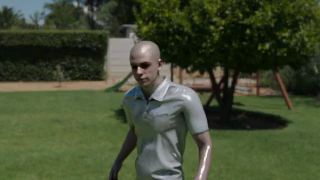
What you can do
- Stage actors — 36 character rigs, ~100 shared animations, and 20 blocking formations (face-to-face, huddles, lines, wedges…).
- Direct the camera — static framing plus push, arc, tilt, rotating, dolly-zoom, and tracking moves.
- Light the shot — six portrait presets (rembrandt, three-point, butterfly, split, silhouette, spotlight) plus HDR environment lighting.
- Cut it together — an ffmpeg edit DSL for trims, transitions, color looks, captions, letterbox, music and SFX.
A taste
from sets.apartment_complex import canal_bridge
from dsl.actors import brian, megan
from dsl.blocking import face_to_face
from dsl.rendering import use_fast_output

use_fast_output(engine="eevee", downsample_factor=4)

bob, anne = brian("Bob"), megan("Anne")

with canal_bridge.Tree1.A1 as shot:
    shot.block(face_to_face(), bob, anne)   # stage them facing each other
    shot.lighting("rembrandt")              # portrait key light
    shot.camera("static", mode="medium")    # frame the pair
    bob.say("You came.")                    # dialog → TTS audio
    anne.idle()
    shot.clip(4.0)                          # cap at 4 seconds
That with block records your intent; when it closes, agentwood compiles everything — timeline,
camera, lights — and renders the shot.
How the project is organised
agentwood has two largely independent halves:
| Half | Package | What it does |
|---|---|---|
| Rendering DSL | dsl/ |
Turns Python scene descriptions into rendered .mp4 shots, then cuts them together. (This is where almost all the work is.) |
| Scene-generation agents | core/ |
An LLM "writers' room" that can generate scenes automatically. |
Where to go next
New here? Start with Installation then Your First Scene. Want the big picture first? Read Core Concepts (coming up in this site). Looking for a specific feature, the API, or known issues? See Features, Reference, and Testing & Quality.